Menu
Contact Us
About Us
About eReflect
Spreeder Team
Privacy
Press
Blog
Tools
Free App
Bookmarklet
Installing Safari Extension
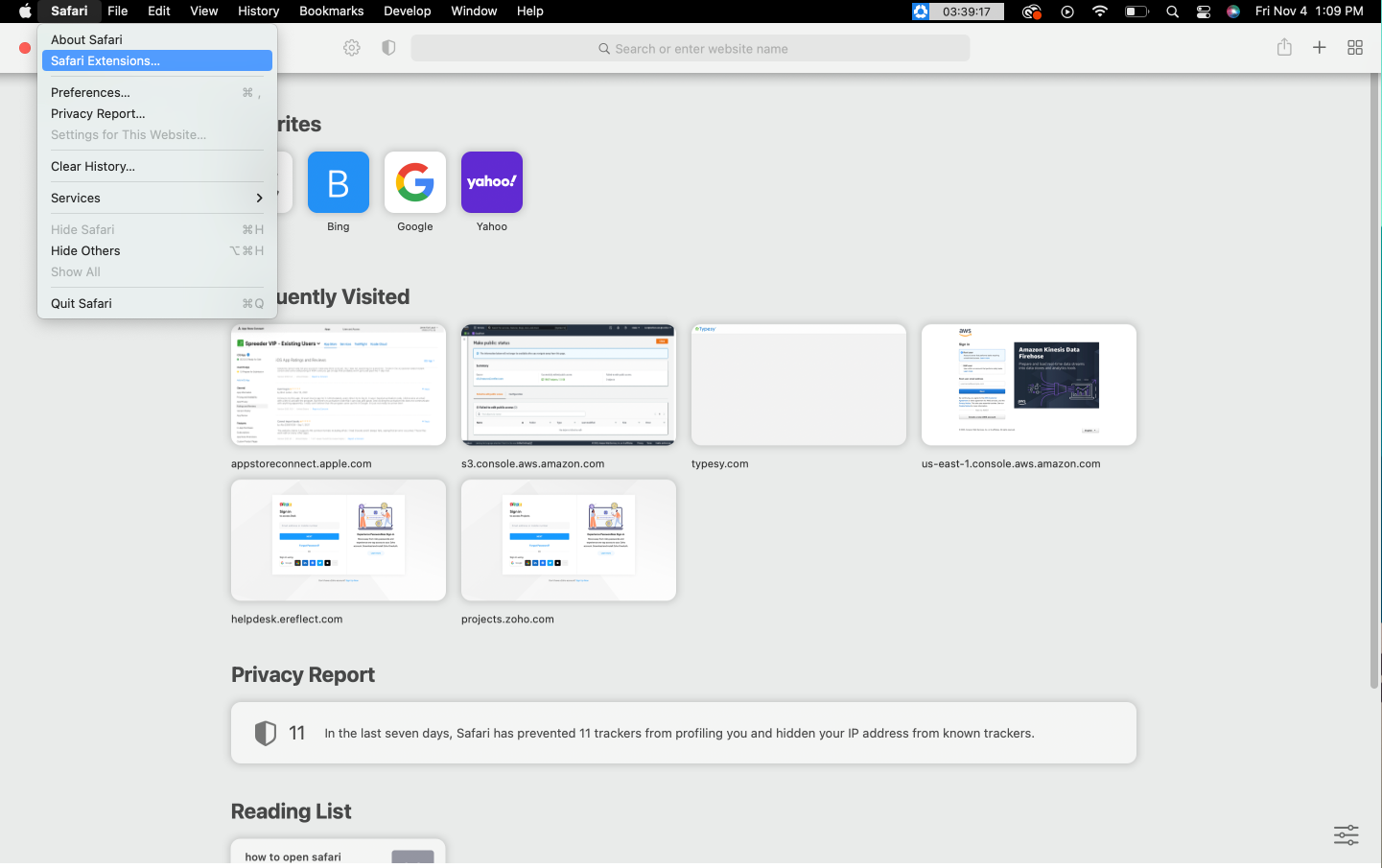
1.) In the Safari app on your Mac, choose Safari > Safari Extensions
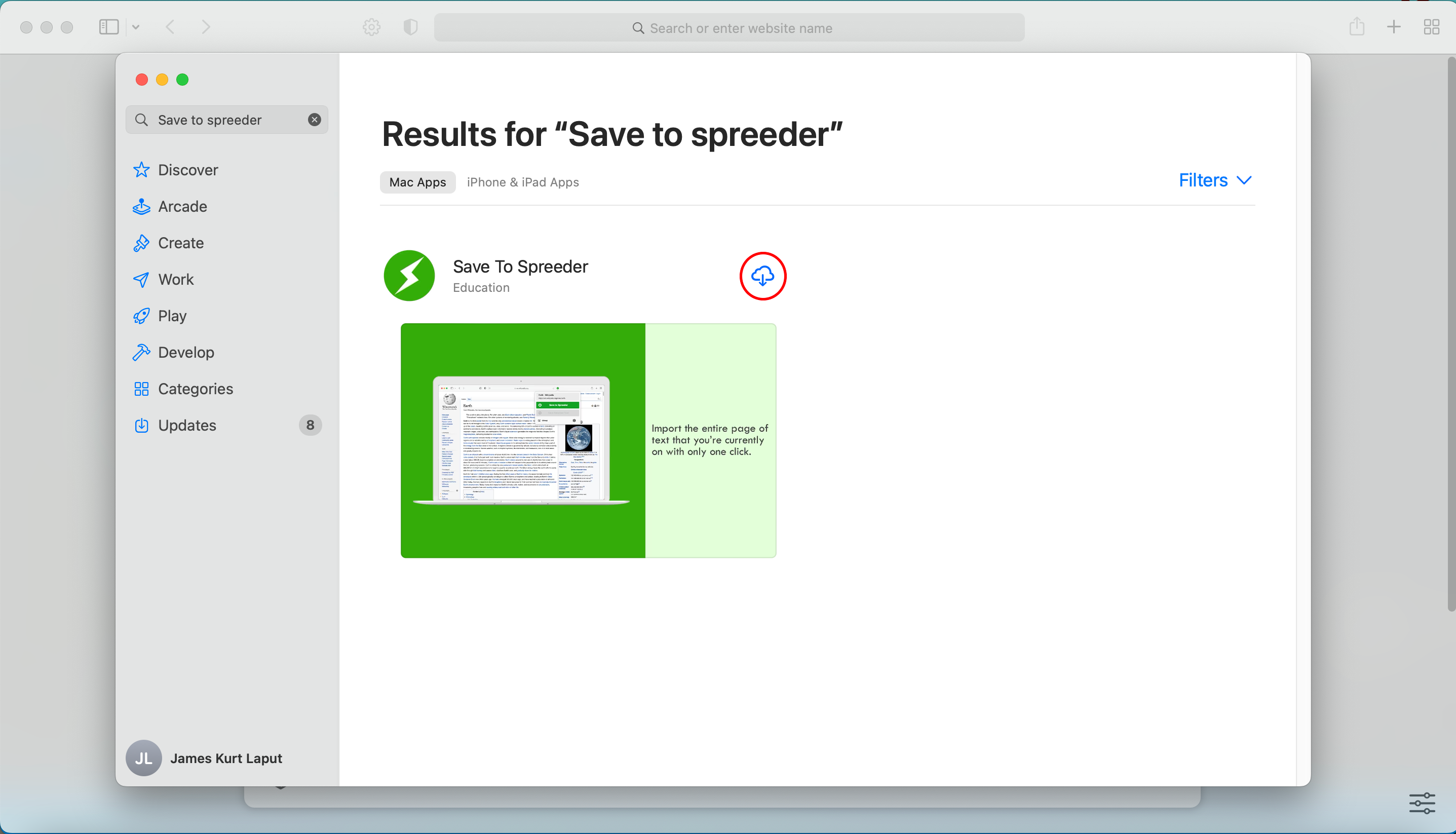
2.) Search for "Save To Spreeder" and click Install/Open
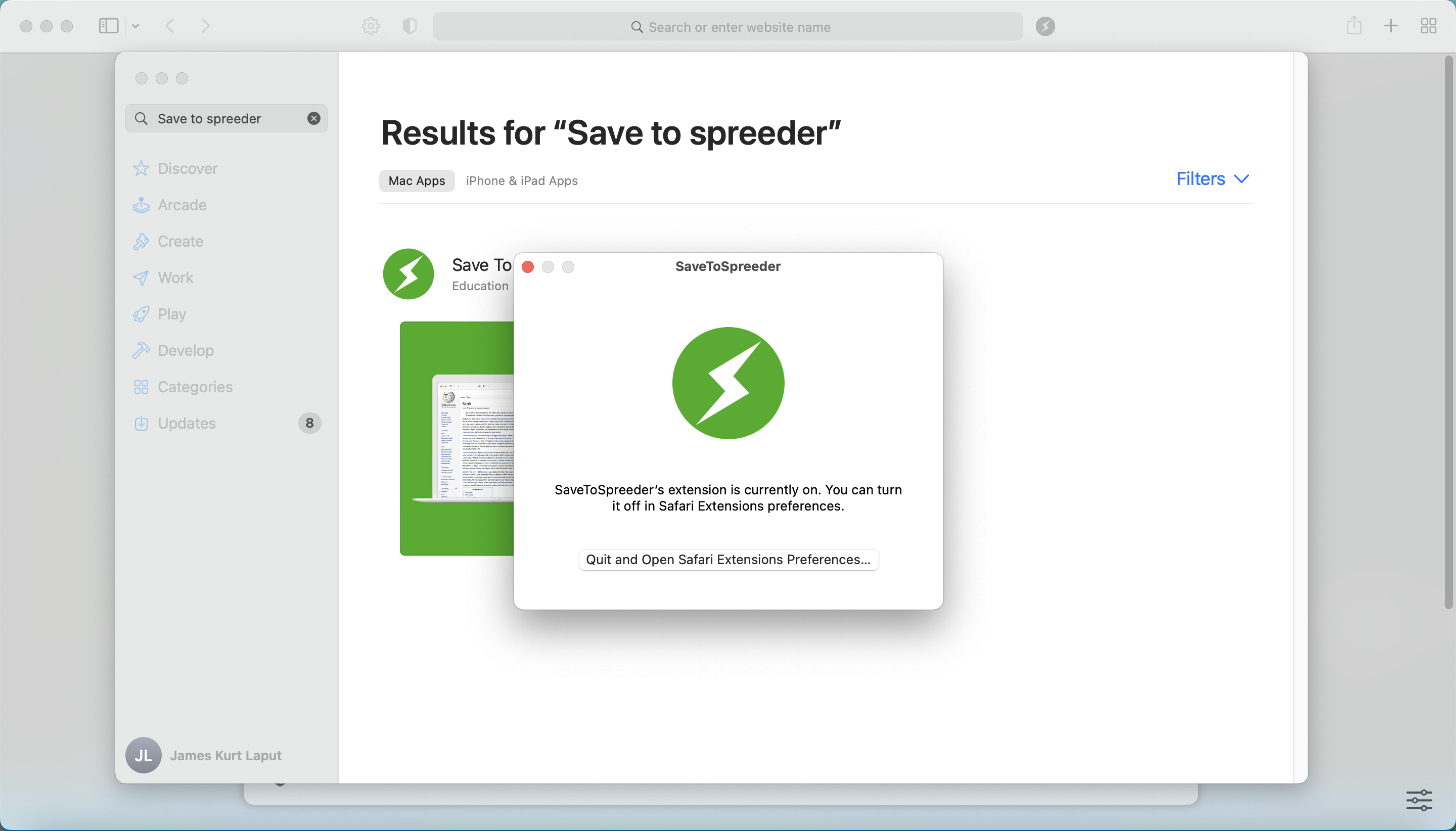
3.) In the popup Click "Quit and Open Safari Extension Preferences"
4.) Extension is now installed
Getting Help
If you need help with anything, please don’t hesitate to
contact us anytime on the helpdesk
. We’ll get back to you ASAP.
Back to Spreeder
Back to Spreeder
Back to Spreeder
Back to Spreeder
Back to Spreeder
Back to Spreeder
Back to Spreeder
Back to Spreeder
Back to Spreeder
Back to Spreeder
Back to Spreeder
Back to Spreeder
Back to Spreeder
Back to Spreeder
Back to Spreeder
Back to Spreeder
Back to Spreeder
Back to Spreeder
Back to Spreeder
Back to Spreeder
Back to Spreeder
Back to Spreeder
Back to Spreeder
Back to Spreeder
Back to Spreeder
Back to Spreeder
Back to Spreeder
Back to Spreeder
Back to Spreeder